What is VMFS heap and What its used for?
This is defined in the advanced setting VMFS3.MaxHeapSizeMB. The main consumer of VMFS heap are the pointer blocks which are used to address file blocks in very large files/VMDKs on a VMFS filesystem. Therefore, the larger your VMDKs, the more VMFS heap you can consume
How to check the current heap used on esxi host:
vsish -e ls /system/heaps | grep vmfs3
vsish -e get /system/heaps/”Output of above command”/stats
example:
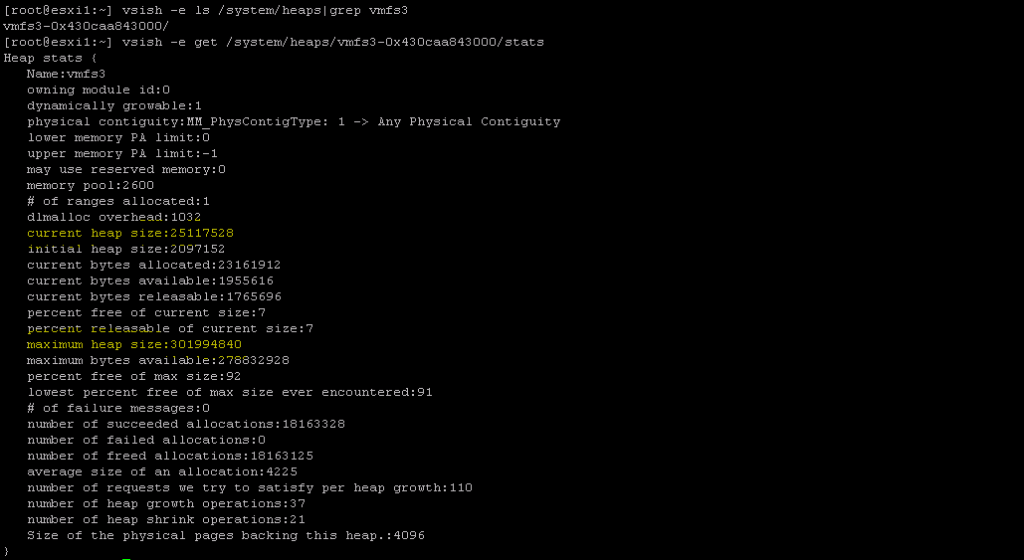
When the issue is observed
Any file open activities can encounter the issue.
Datastores showing “Not consumed” on hosts
Consolidation activity fails to perform with “Consolidation failed for disk node ‘scsi0:1’: 12 (Cannot allocate memory).”
vMotion,snapshot, VM power on/ power off activities.
Logs and key words to check
vmkernel.log
2020-06-29T14:59:36.351Z cpu21:5630454)WARNING: HBX: 2439: Failed to initialize VMFS distributed locking on volume 5eb9e8f1-f4aeef84-4256-1c34da50d370: Out of memory
2020-06-29T14:59:36.351Z cpu21:5630454)Vol3: 4202: Failed to get object 28 type 1 uuid 5eb9e8f1-f4aeef84-4256-1c34da50d370 FD 0 gen 0 :Out of memory
2020-06-29T14:59:36.351Z cpu21:5630454)Vol3: 4202: Failed to get object 28 type 2 uuid 5eb9e8f1-f4aeef84-4256-1c34da50d370 FD 4 gen 1 :Out of memory
2020-06-29T14:59:36.356Z cpu21:5630454)WARNING: HBX: 2439: Failed to initialize VMFS distributed locking on volume 5eb9e8f1-f4aeef84-4256-1c34da50d370: Out of memory
vmkwarning.0:2020-06-16T13:28:23.291Z cpu48:3479102)WARNING: Heap: 3651: Heap vmfs3 already at its maximum size. Cannot expand.
vmkwarning.0:2020-06-16T14:20:23.676Z cpu62:3479103)WARNING: Heap: 3651: Heap vmfs3 already at its maximum size. Cannot expand.
Check for the consumed Heap size using vish commands mentioned above.
Fix the issue by running below command for each vmfs6 datastore on each host.
1.Create Eager zeroed thick disk on all of the mounted VMFS6 datastores.
vmkfstools -c 10M -d eagerzeroedthick /vmfs/volumes/datastore/eztDisk
2.Delete the Eager zeroed thick disk created in step 1.
vmkfstools -U /vmfs/volumes/datastore/eztDisk
 Virtual SDDC